 Crob Apps Dev Blog
Debugging a Silent Google Play Games Services Achievement Import Failure
While adding Google Play Games Services (GPGS) achievements to Tap Tap Picture Book (my Godot game), I prepared a bulk-import ZIP for Play Console’s “Import achievements” feature:
- Size: 110 achievements across 7 languages.
- Format: the official CSV format —
AchievementsMetadata.csv,AchievementsLocalizations.csv,AchievementsIconsMappings.csv, plus icon assets.
What followed was a two-part debugging saga:
- a locale-code mixup, then
- a much stranger silent save failure that took a full binary-search investigation to crack.
Part 1: “Unsupported language/region”
The first upload failed instantly, with every single achievement flagged:
Language/region not supported — use a language/region supported by the game.
My first instinct was to check Google’s general supported languages list. That table shows some languages with a bare code (ko, ja, de) and others with a region suffix (es-419, pt-BR, fr-FR) — I assumed the pattern was “single-variant languages use bare codes,” rewrote my locale codes accordingly (ko-KR → ko, etc.), and re-uploaded.
Same error, unchanged.
The actual fix:
- What “supported by the game” means: not Google’s general language list, but the languages this project has registered under Play Console → Play Games Services → Configuration → Edit properties → Manage translations.
- What the importer accepts: only the locale codes configured on that screen, regardless of what general documentation says.
- What happened to my codes: my original codes (
ko-KR,ja-JP,de-DE,es-419,pt-BR,fr-FR) were exactly right once matched against that screen. My “fix” had actually broken things further.- These are just the languages my project registers; yours will depend on your own configuration.
Lesson: when an error says “supported by X,” check X’s actual live configuration before consulting general documentation. Generic references can be true in general and still not apply to your specific setup.
Part 2: Import succeeds, but “Save” silently fails
With the locale issue fixed, uploading the ZIP now showed a green checkmark — “4 files imported successfully.”
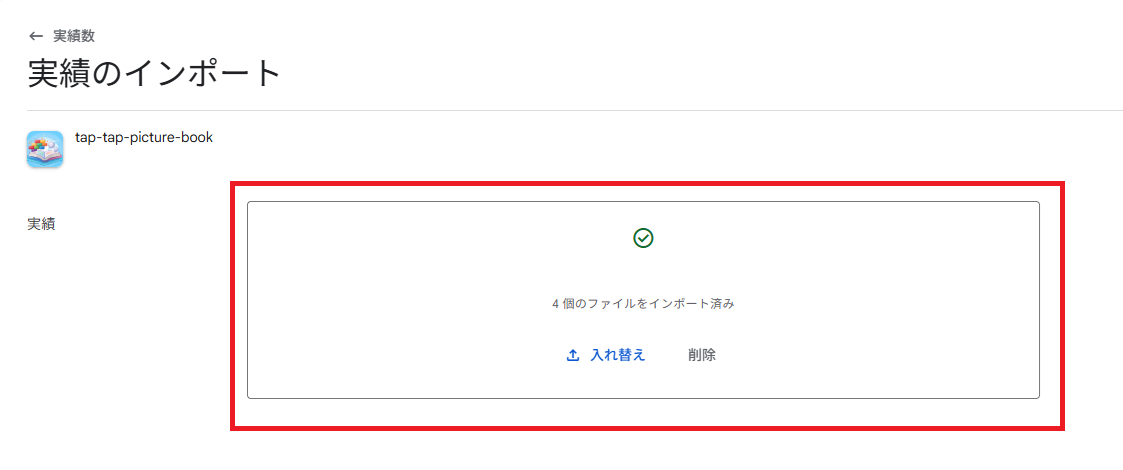
But clicking Save produced only:
Changes could not be saved.
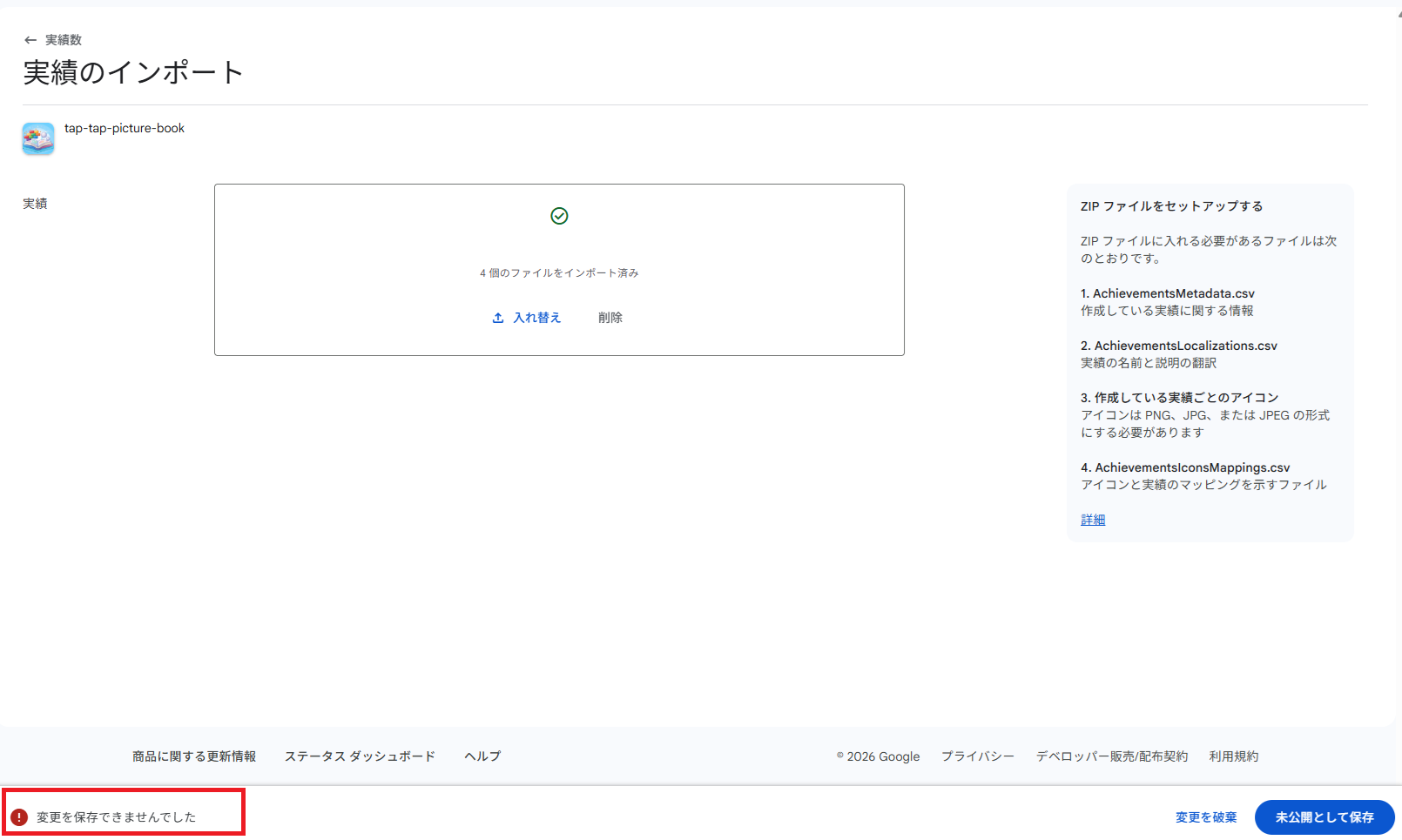
Nothing actionable. This is where things got interesting.
Ruling things out one at a time
I approached this as a binary search, changing exactly one variable per test:
- Scale: Full 110-achievement ZIP → fails. Reduced to a 2-achievement ZIP → same failure. Ruled out: data volume, and any single bad row among the other 108.
- Icon transparency: The placeholder icon (reused from the app icon) had an alpha channel. Flattened it to an opaque RGB PNG on a white background, retried the 2-achievement ZIP → same failure. Ruled out: icon transparency.
- Re-verify the spec, verbatim: Re-fetched the official CSV format documentation and diffed every field against my files:
- column order and no header row
NameuniquenessPoints(multiples of 5, 5–200)Steps Needed(max 10,000)- ZIP constraints (file count, size, no subdirectories)
Everything matched exactly. Ruled out: the CSV format itself.
-
Open the browser console: This is where real signal appeared. The failing call was
POST .../achievements:bulkCreatereturning HTTP 400.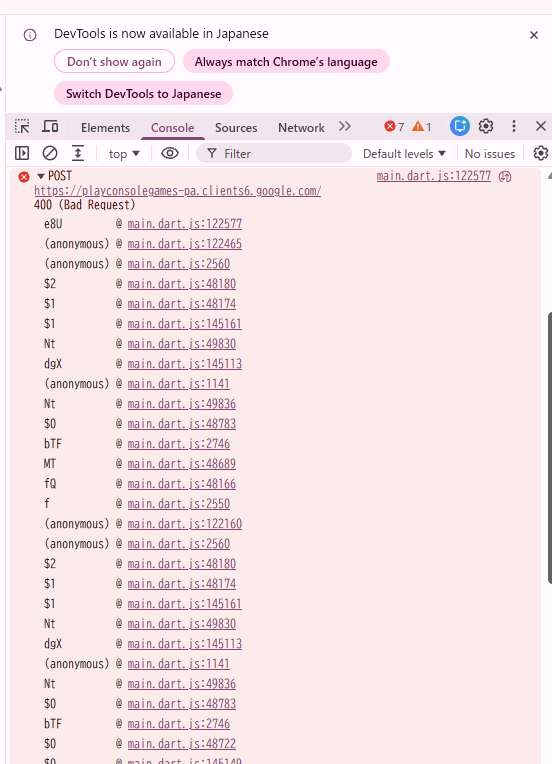
DevTools Console: the failing bulkCreate call, 400 Bad Request. The response body, decoded from its protobuf-over-JSON encoding, was:
{"1":3,"2":"Request contains an invalid argument."}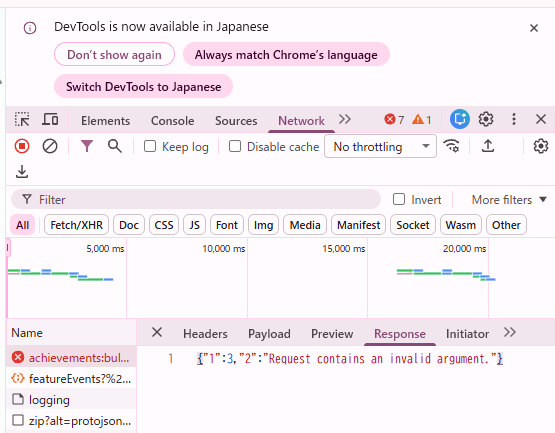
DevTools Network tab: the raw response body behind that error. Field
1: 3is the gRPC status code forINVALID_ARGUMENT. Field2is a human string — but a completely generic one. Still no field-level detail. -
Strip down to the essentials: Both
AchievementsLocalizations.csvandAchievementsIconsMappings.csvare optional per spec. I built a ZIP with onlyAchievementsMetadata.csv, one achievement, no icon at all (the row below is an example test row):First Step,Clear 1 stage,True,1,Revealed,5,10Still failed, identically. This ruled out localization and icon files entirely — the bug had to be in
AchievementsMetadata.csvitself, or somewhere outside the file altogether. - Sanity check: can this project create achievements at all? I tried creating a single achievement manually through the Play Console UI (no CSV involved). The save button threw a generic, unrelated-looking “An unexpected error occurred” toast — but refreshing the list showed the achievement had actually been created. This confirmed the project itself wasn’t blocked; the problem was specific to the bulk-import (
bulkCreate) code path. -
The actual culprit: Comparing my one remaining test row against what a “normal” quick-created achievement probably looks like, I suspected the combination of
Incremental value = TruewithSteps Needed = 1. I tested each combination with the row otherwise unchanged:Incremental valueSteps NeededSave result True1Failed False(blank) Succeeded True50Succeeded That pinned it down precisely:
- The rule:
bulkCreatesilently rejects any achievement whereIncremental valueisTrueandSteps Neededis1. - Documented? No — this constraint appears nowhere in the official documentation.
- Likely reason: a single-step “incremental” achievement is functionally identical to a non-incremental one, so the backend probably rejects it as a degenerate case.
- Why it’s hard to find: the API gives no indication, and the UI’s generic “invalid argument” error is effectively undiscoverable without decoding the raw network request.
- The rule:
The fix
- The affected achievements: 23 of my 110 were “do this once” achievements (first stage clear, first world clear, first ad watched, etc.) modeled as incremental with a target of 1 step — exactly the pattern that triggers this bug.
- The change: converting all 23 to non-incremental achievements (
Incremental=False, blankSteps Needed) fixed the import completely. - A better design anyway: a “do it once” achievement doesn’t need step tracking. Unlocking it directly with
unlock_achievement()instead ofset_achievement_steps()is the correct behavior, and it also avoids the undocumented validation rule.
Takeaways
- Generic upload success ≠ generic save success. Play Console’s CSV importer validates file format on import, but a separate, much less transparent validation pass runs when you actually save — and it can reject perfectly spec-compliant data for reasons the UI won’t tell you.
- When an error gives you nothing, open DevTools. The Console tab told me which API call was failing; the Network tab’s response body told me why (in gRPC-status-code form, at least). Neither would have been discoverable from the Play Console UI alone.
- Binary search beats guessing. Cutting the achievement count, then the icon, then the auxiliary CSVs, then the specific field combination, each ruled out one axis of the problem — and each test took minutes, versus hours of speculating.
- “Supported by the game” is not the same as “supported by Play.” Locale/region support in particular is scoped per-project, not globally — always check the live configuration screen, not the general reference table.
Released app

Tap Tap Picture Book
Break bricks made of picture book art in this casual arcade adventure!